How to See Bitcoin Network Congestion Without a Block Explorer

Bitcoin network congestion is often misunderstood because most users interact with the network only through wallets or block explorers. Those tools are useful for tracking individual transactions, but they do not show what is happening across the entire network in real time.
This guide explains how to use jochen-hoenicke.de/queue/ to visually understand Bitcoin congestion by analyzing mempool data directly. Instead of focusing on single transactions, this approach shows how demand for block space builds, clears, and impacts transaction fees.
Step 1: Understanding the Default Transaction Count View
When you open jochen-hoenicke.de/queue/, you land on the main Bitcoin mempool statistics page. By default, the chart displays unconfirmed transaction count.
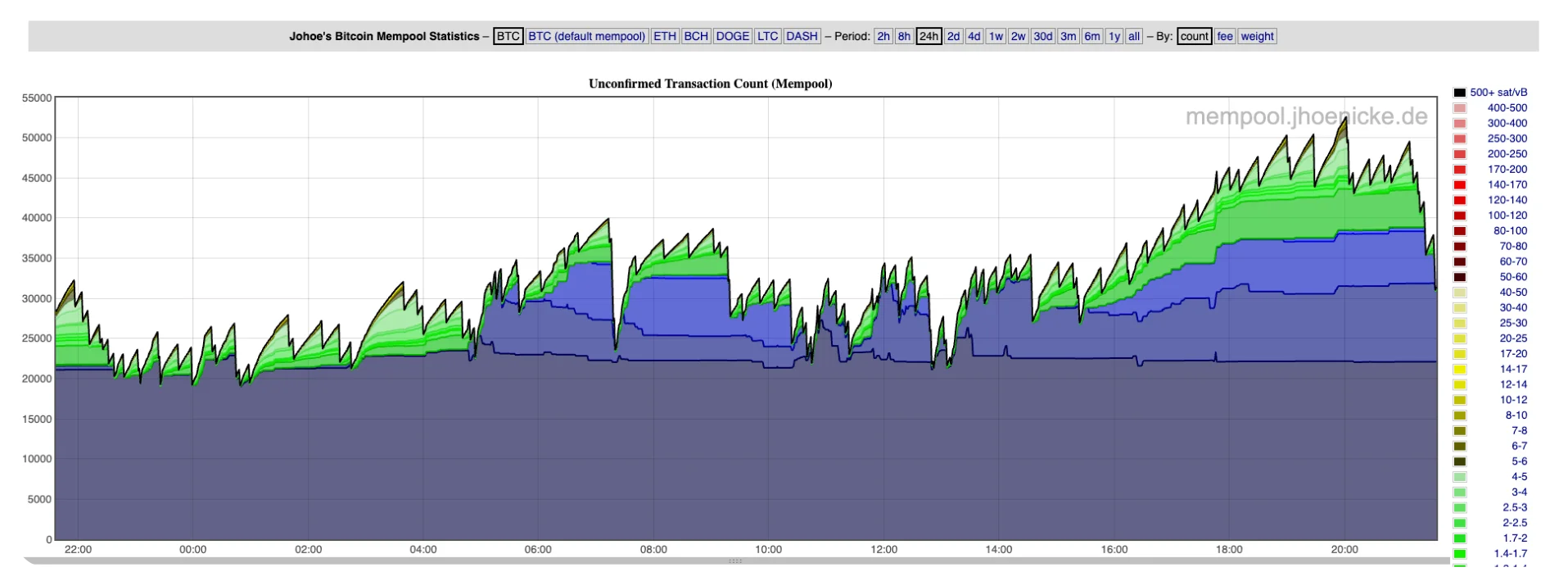
This view shows how many Bitcoin transactions are currently waiting in the mempool, grouped by fee rate (measured in sat/vB). Each color band represents a different fee range, with higher-fee transactions layered above lower-fee ones.
This chart answers a basic question: how many transactions are competing for confirmation right now?
Sudden spikes indicate bursts of activity, while sharp drops usually follow newly mined blocks. However, transaction count alone does not fully explain congestion, because it does not account for transaction size or complexity.
Step 2: Switching to the Fee View
At the top of the page, switch the chart mode from count to fee.
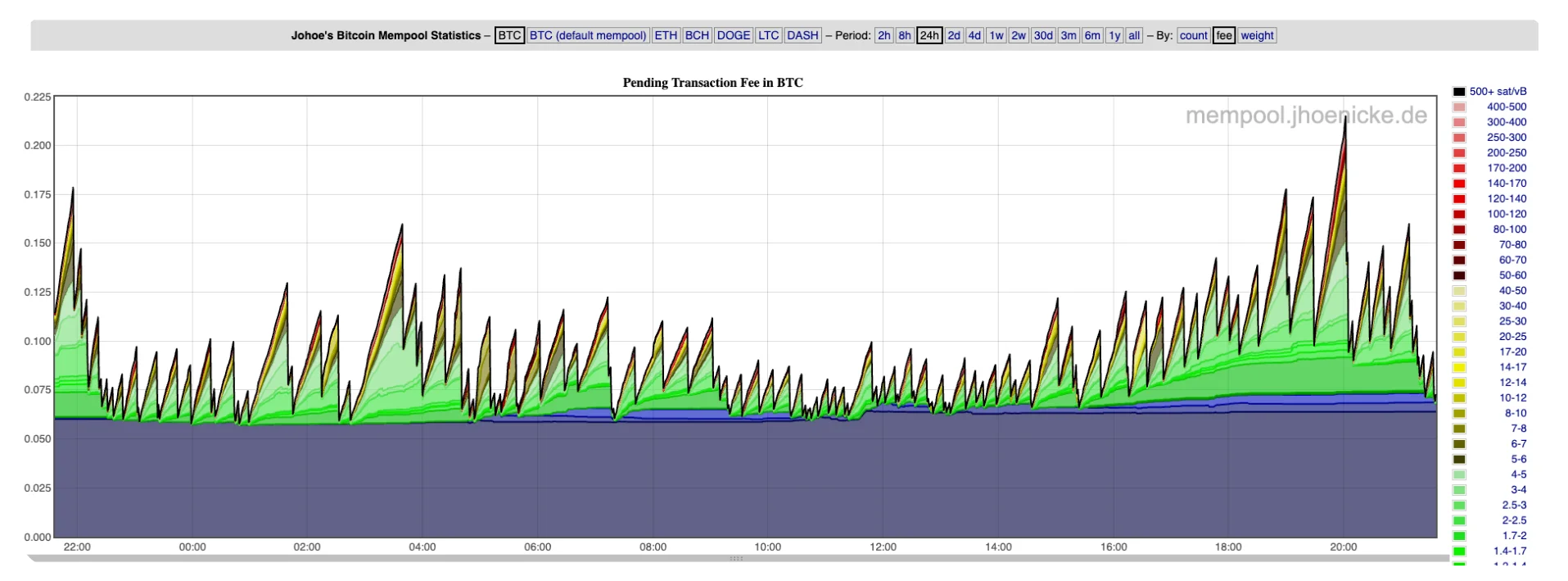
This view shows the total amount of Bitcoin being offered as transaction fees by all unconfirmed transactions in the mempool. Instead of counting transactions, it measures how aggressively users are bidding for block space.
This chart answers a different question: how intense is the competition to get into the next blocks?
Rising fee totals indicate growing urgency across the network. Even if transaction counts remain stable, increasing fee pressure often explains why wallet fee recommendations suddenly jump.
In addition, if you would like to learn How to Change Your Receiving Wallet Address on Bitcoin Everlight, check it out on the Bitcoin Everlight education section.
Step 3: Switching to the Weight View
Next, switch the chart mode to weight.
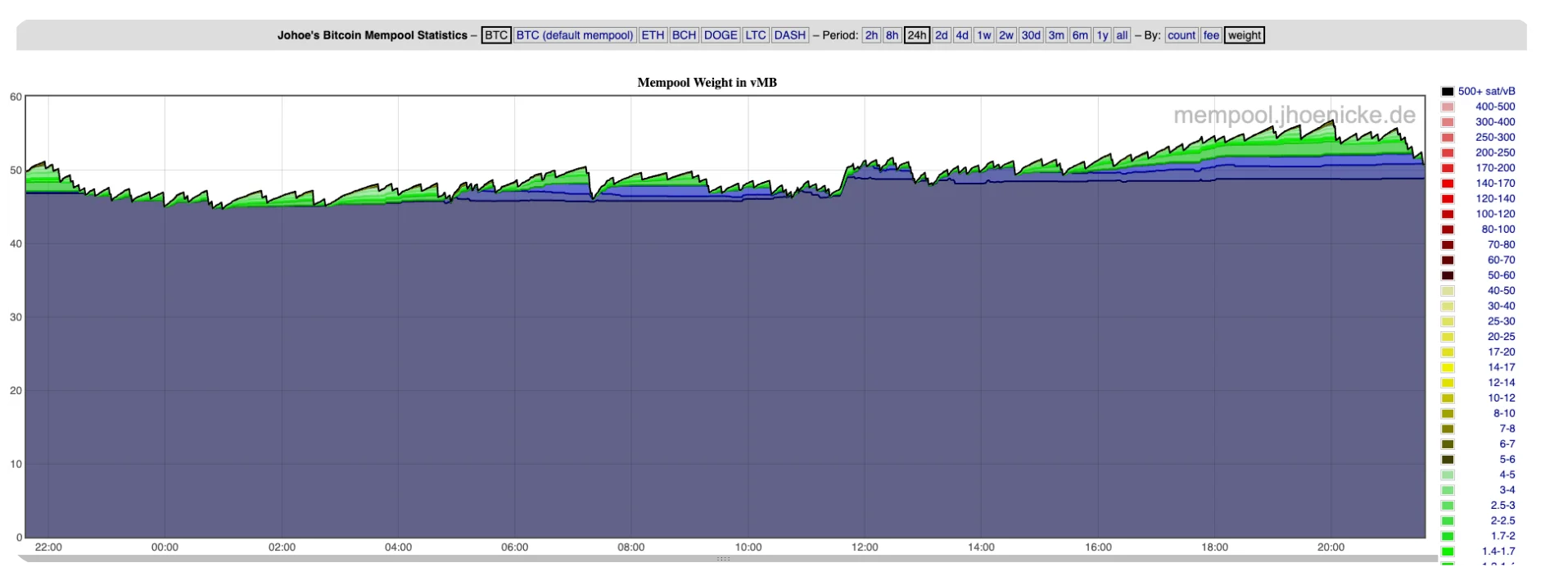
This view shows the mempool size measured in virtual megabytes (vMB), which reflects how much actual block space is currently occupied by unconfirmed transactions.
Bitcoin blocks are constrained by weight, not by transaction count. A small number of large or complex transactions can fill blocks just as effectively as many smaller ones.
This chart answers the most important question: how full is the mempool relative to block capacity?
When mempool weight remains elevated, blocks are consistently full and congestion is likely to persist. When weight falls quickly, it indicates that the network is clearing transactions faster than new ones are arriving.
Why This Matters
Wallets and fee estimators usually react after congestion has already increased fees. By reading these charts directly, you can see congestion forming in real time.
Looking at transaction count, fee pressure, and mempool weight together provides a complete picture of Bitcoin network conditions. This helps you decide when to send transactions, how urgent they should be, and why fees behave the way they do, without relying on guesswork or delayed signals.
Conclusion
You do not need a block explorer to understand Bitcoin network congestion. jochen-hoenicke.de/queue/ provides a clear, real-time view of how Bitcoin’s mempool behaves under load.
By learning how to interpret transaction count, fee pressure, and mempool weight, you gain practical insight into block space demand and fee dynamics. This makes you a more informed Bitcoin user and helps you avoid unnecessary delays and overpayment.