How to Change Your Receiving Wallet Address on Bitcoin Everlight
Bitcoin Everlight addresses Bitcoin's practical limitations for everyday use. By adding a lightweight transaction layer focused on speed and usability, it complements Bitcoin's security without replacing it. The result preserves Bitcoin's role as settlement and store-of-value while making routine payments practical.
A key part of this usability focus is giving users clear control over essential account settings, including receiving wallet addresses. Because wallet addresses determine where assets are ultimately delivered, managing them correctly is a critical part of using any blockchain-based system safely and effectively.
In this guide, you’ll learn how to change or request an update to your receiving wallet address on the Bitcoin Everlight platform, step by step, and understand why this process matters.
Step 1: Sign In or Create a Bitcoin Everlight Account
Begin by accessing the Bitcoin Everlight platform and signing in with your existing account credentials.
If you do not yet have an account, you’ll need to complete the registration process, which includes account creation and email verification.
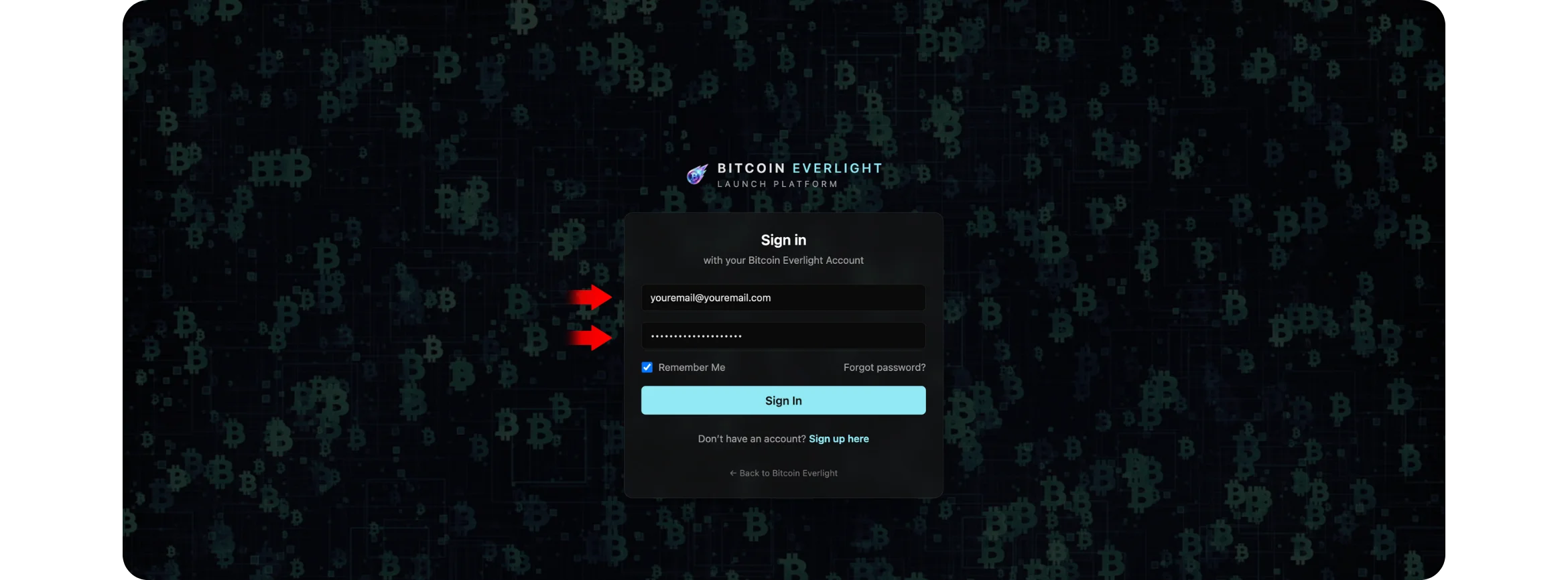
Once authenticated, you’ll be taken to your main account dashboard.
Step 2: Access the Dashboard and Locate Wallet Settings
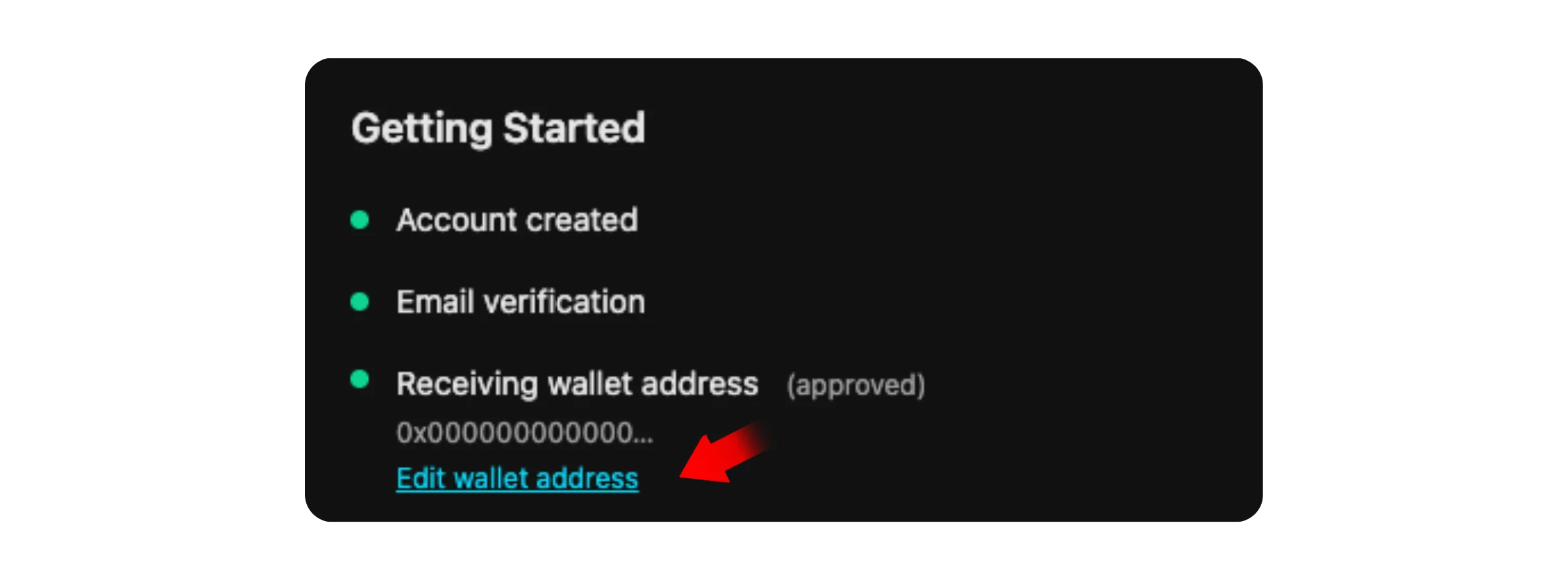
After logging in, scroll through your dashboard until you reach the Getting Started section.
This area provides an overview of your account setup status, including confirmation that your receiving wallet address has been approved.
Within this section, you’ll find an option to edit your wallet address. This is the entry point for requesting any change to where your BTCL tokens will be delivered.
Step 3: Request a Change to Your Receiving Wallet Address
Selecting the option to edit your wallet address will open a dedicated wallet update window.
Here, you’ll see:
Your currently registered wallet address
An option to request a change
A field to enter a new wallet address
A confirmation button to submit the update request
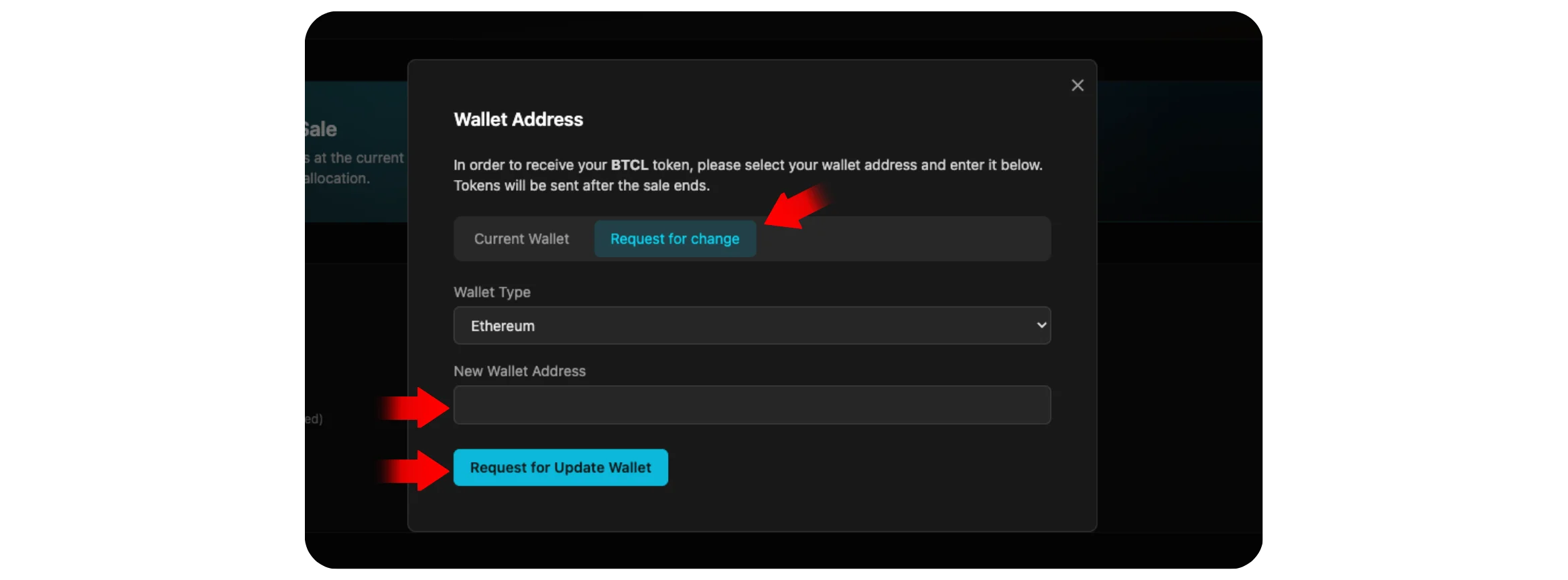
Choose the appropriate wallet type, carefully enter the new receiving address, and submit the request.
Any required verification or approval steps will then be handled according to the platform’s standard procedures.
In addition, if you would like to learn How to Buy Bitcoin Everlight (BTCL), check it out on the Bitcoin Everlight education center.
Why Receiving Wallet Addresses Matter
Receiving wallet addresses are not interchangeable details. They define ownership and delivery at the blockchain level.
An incorrect or outdated address can result in lost assets or delayed access, and in many blockchain systems, transactions sent to the wrong address are irreversible.
Bitcoin Everlight’s structured approach to wallet updates reflects its broader design philosophy: minimize friction while maintaining operational responsibility. By separating wallet changes into a controlled request process, the system helps reduce user error without introducing unnecessary complexity.
Closing Perspective
Bitcoin Everlight extends Bitcoin’s utility by focusing on real-world usability rather than speculative features. Simple but essential functions, like managing a receiving wallet address, are treated as first-class components of the user experience, not afterthoughts.
By combining lightweight confirmations, predictable fees, and responsible system design, Everlight positions itself as a practical extension of Bitcoin’s ecosystem. Understanding how to manage foundational account settings ensures that users can interact with the network confidently and securely as the system continues to evolve.