How to Tell If a Bitcoin Address Is Legacy, SegWit, or Native SegWit

Bitcoin addresses are not all the same. While they may look similar at first glance, the format of a Bitcoin address determines how transactions are processed, how much you pay in fees, and whether certain wallets or exchanges can interact with it correctly.
Understanding address types helps you avoid compatibility issues and gives you a deeper understanding of how Bitcoin has evolved over time.
Step 1: Open blockchain webpage
Start by visiting blockchain.com/explorer
On the main page, you’ll see a search bar at the top labeled for searching blockchain data such as transactions, addresses, and blocks. This is where address analysis begins.
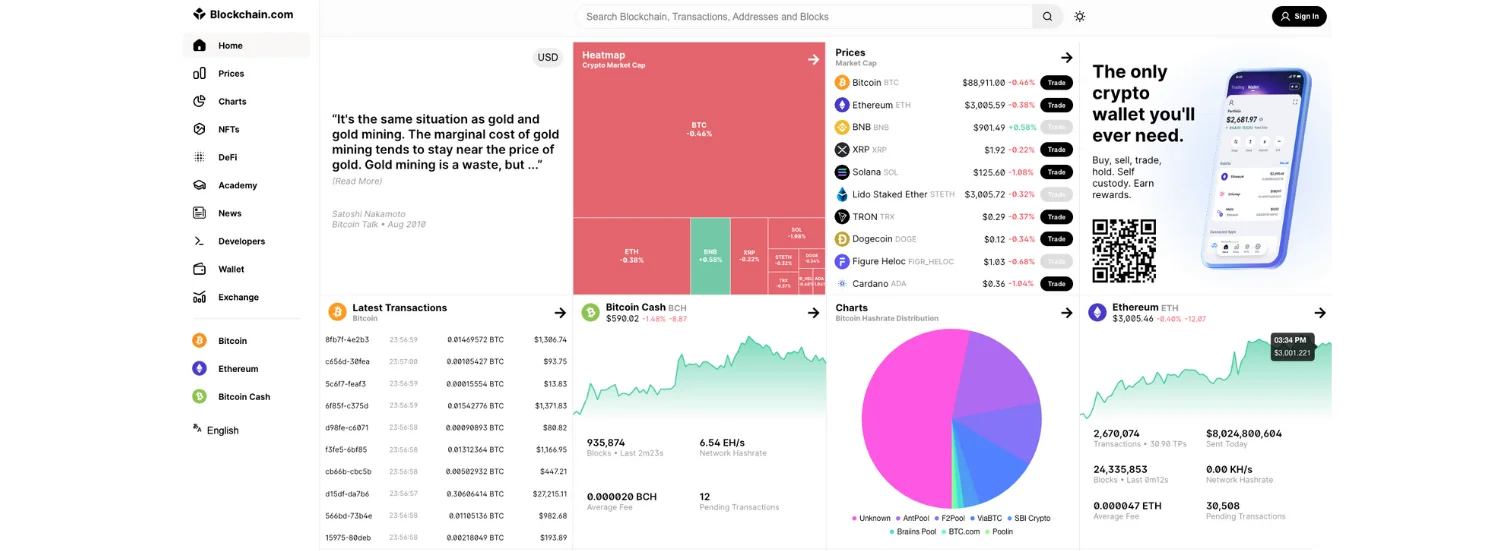
No account or login is required.
Step 2: Paste Any Bitcoin Address
Paste any Bitcoin address into the search bar and press enter.
You will be taken to the address overview page. This page displays general information about the address, including balance, transaction history, and, most importantly for this guide, the address type.
Also, if you would like to know more about How to Check the Size of a Bitcoin Transaction Using mempool.space, check it out on the Bitcoin everlight education center
Step 3: Identify the Address Format
Near the top of the address page, blockchain.com clearly labels the address format. This label is the key indicator you are looking for.
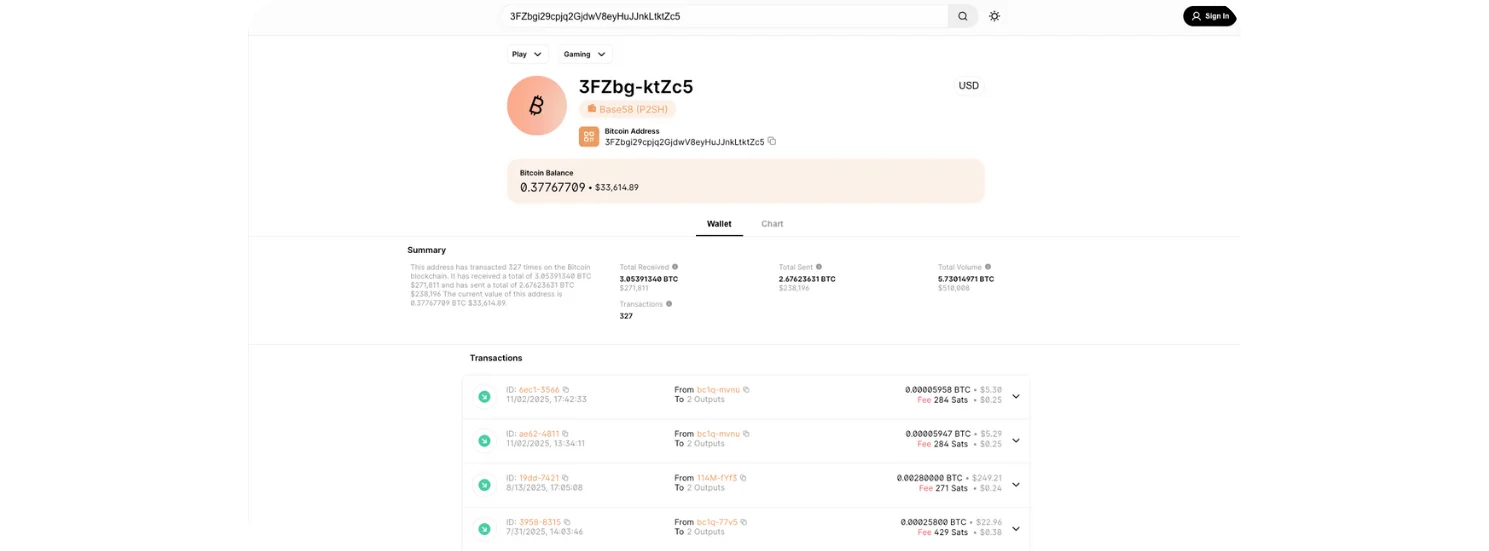
Bitcoin addresses fall into three main categories:
Legacy Address
Typically starts with 1
Uses the original Bitcoin address format
Least efficient in terms of transaction fees
Supported everywhere, but largely outdated
Legacy addresses were the first format used on the Bitcoin network. While still valid, they take up more space in a block, which often results in higher transaction fees.
SegWit Address (P2SH)
Typically starts with 3
Often labeled as Base58 (P2SH)
More efficient than Legacy
Widely supported by wallets and exchanges
This format was introduced as a transition toward SegWit adoption. It improves fee efficiency while maintaining compatibility with older systems.
Native SegWit Address
Starts with bc1
Most efficient address format
Lowest transaction fees
Preferred for modern wallets
Native SegWit addresses use the newest structure and reduce the amount of data a transaction occupies on the blockchain, directly lowering fees.
Step 4: Review the Wallet and Chart Tabs
Below the address summary, you’ll notice tabs such as Wallet and Chart.
The Wallet view shows transaction history, totals received and sent, and current balance.
The Chart view visualizes how the balance has changed over time.
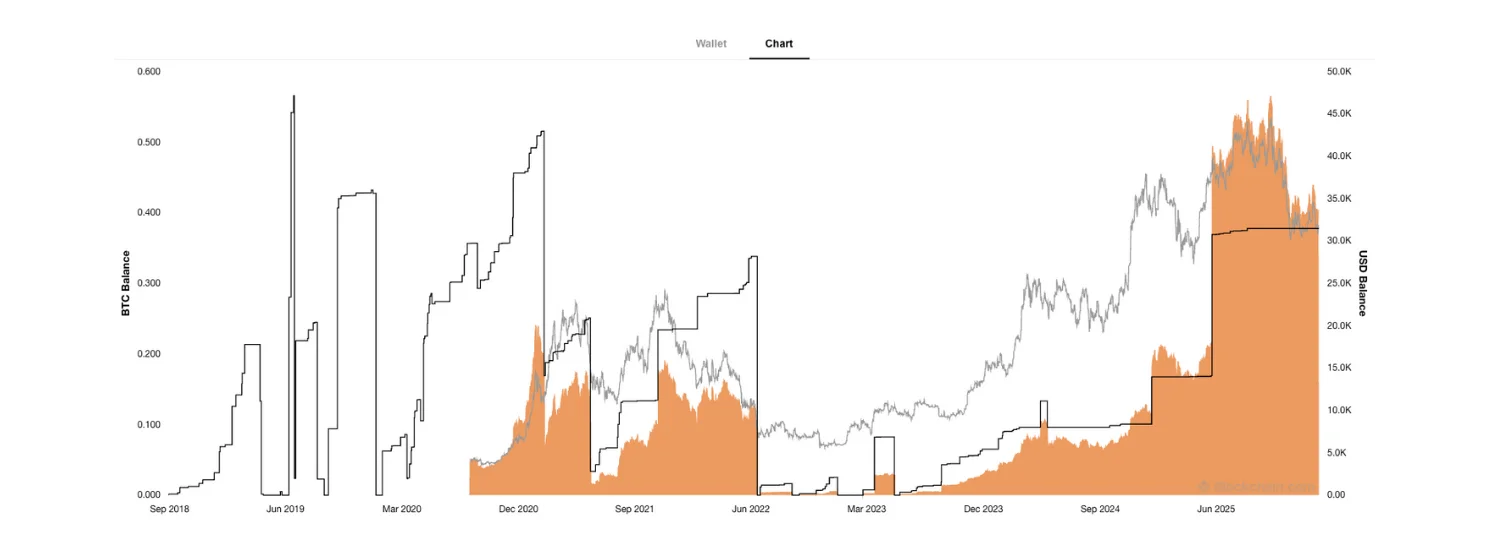
While these sections are not required to identify the address type, they provide helpful context and reinforce that different address formats can be tracked and analyzed transparently on the blockchain.
Why Address Type Matters
Knowing the address format is not just technical trivia. It has real-world implications:
Fees: Native SegWit addresses generally cost less to use.
Compatibility: Some older platforms may not support newer formats.
Best Practices: Using modern address types aligns with current Bitcoin standards.
Sending Bitcoin to an unsupported address format can result in failed transactions or unnecessary delays.
Conclusion
By using blockchain.com, you can quickly identify whether a Bitcoin address is Legacy, SegWit, or Native SegWit without any technical background. The address format is clearly displayed, making it easy to understand how the address interacts with the Bitcoin network.
Understanding address types helps you avoid compatibility mistakes, reduce fees, and build a stronger foundation in how Bitcoin actually works under the hood.