How to Estimate Bitcoin Fees Using a Fee Estimator (Step-by-Step Guide)
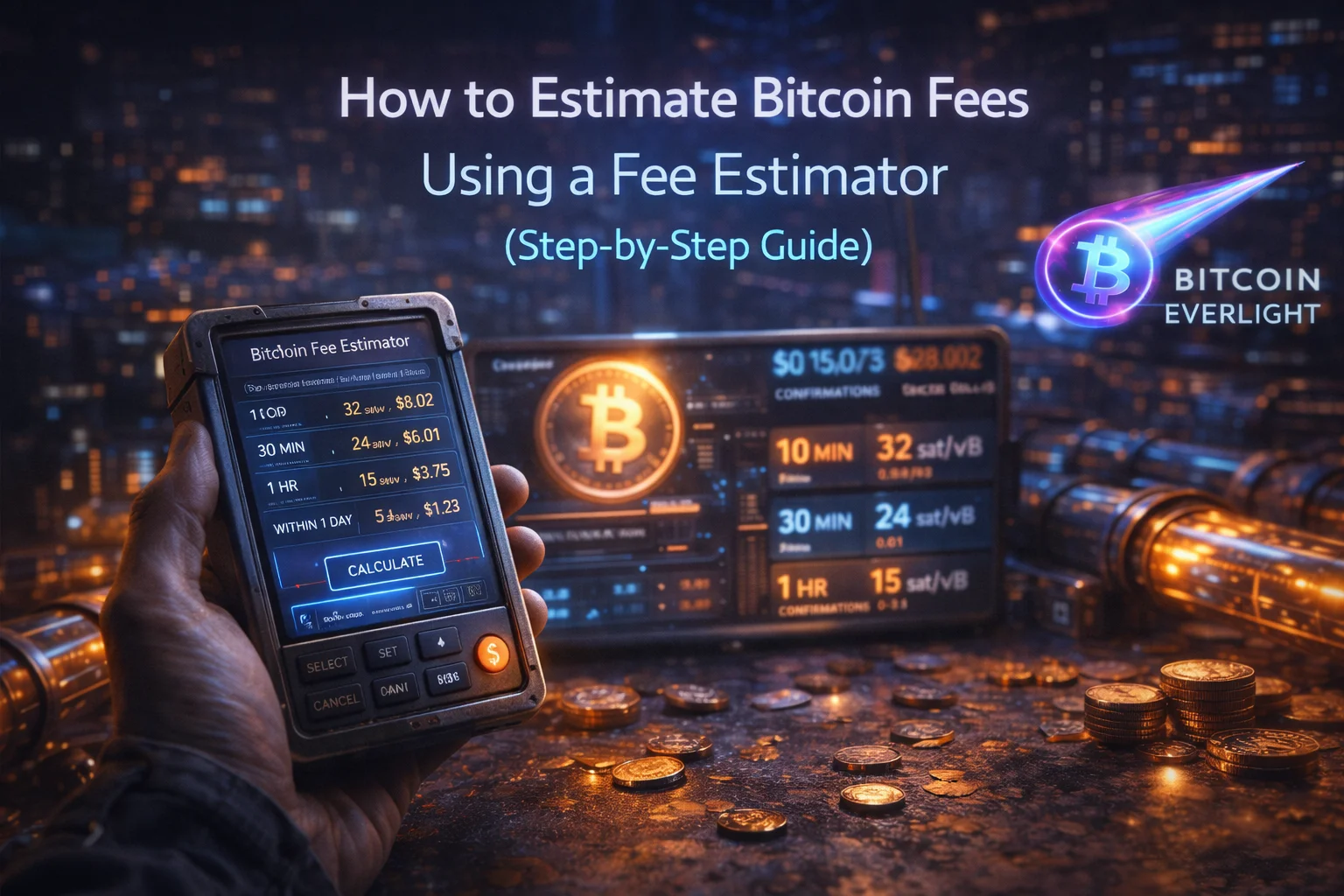
Bitcoin transaction fees are not fixed, and they are not based on how much Bitcoin you send. Instead, fees depend on how busy the network is and how much space your transaction takes up inside a block. Understanding this difference allows you to save money and choose confirmation times more intelligently.
In this guide, you’ll learn how to estimate Bitcoin fees using a fee estimator and understand what the numbers actually mean before sending a transaction.
Step 1: Open the Bitcoin Fee Estimator
Start by visiting bitcoiner.live.
When the page loads, you’ll land on the Bitcoin Fee Estimates section by default. This page provides real-time fee recommendations based on current network conditions.
At this stage, you are not entering any transaction data. You are simply observing the state of the Bitcoin network.
Step 2: Understand the Fee Estimation Table
The main table on the page is the most important part of this tool.
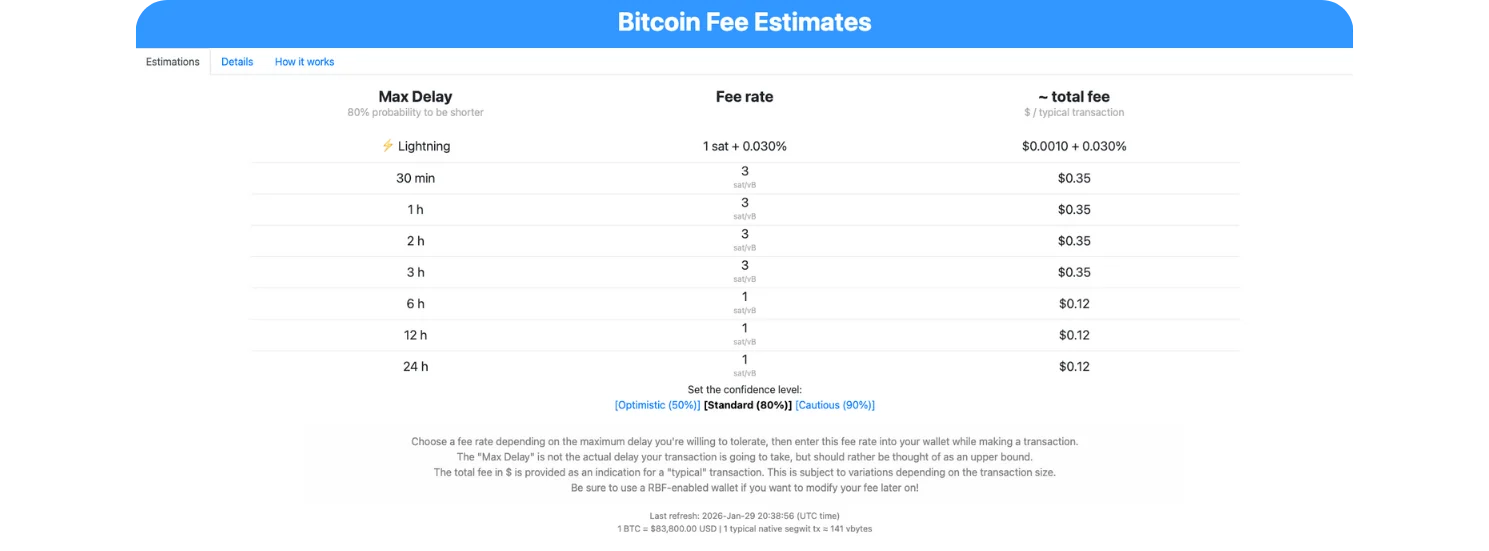
You’ll see three key columns:
Max Delay
This shows how long you are willing to wait for your transaction to be confirmed (for example: 30 minutes, 1 hour, 6 hours, or 24 hours).Fee Rate (sat/vB)
This is the fee rate miners care about. It represents how many satoshis you are paying per virtual byte of transaction data.Estimated Total Fee
This is an approximate dollar cost for a typical Bitcoin transaction at that fee rate.
This table allows you to make a clear decision:
Pay a higher fee if confirmation speed matters
Pay a lower fee if you are willing to wait
Instead of guessing or blindly trusting wallet defaults, you are choosing fees based on time tolerance.
Also, if you would like to learn How to Tell If a Bitcoin Address Is Legacy, SegWit, or Native SegWit. Check out this guide on the Bitcoin everlight education section.
Step 3: Adjust the Confidence Level (Optional)
Below the table, you’ll find different confidence levels:
Optimistic (50%)
Standard (80%)
Cautious (90%)
These options reflect probability, not certainty.
A higher confidence level increases the chance your transaction is confirmed within the chosen time window, but may slightly increase the recommended fee. A lower confidence level reduces cost but increases the risk of delays.
This teaches an important concept: Bitcoin fees are probabilistic, not guaranteed.
Step 4: Open the “Details” Tab to Understand Network Pressure
Next, click on the Details tab.
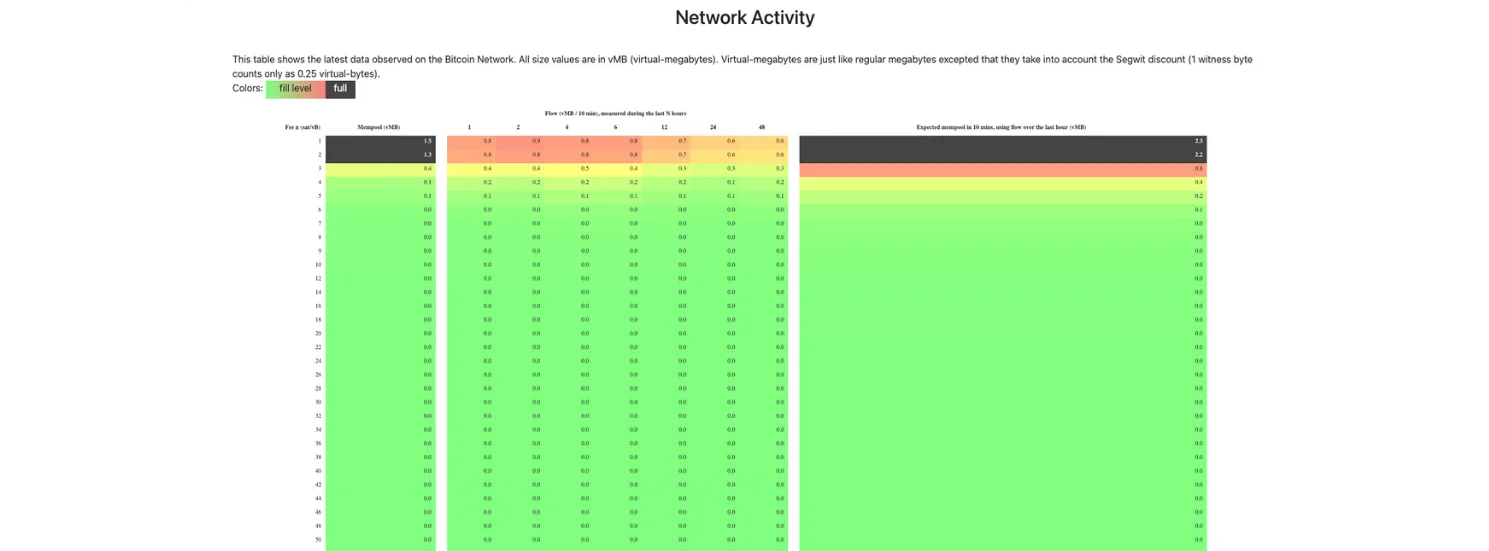
This section explains why the fee recommendations look the way they do. You’ll see visual data showing:
How full the mempool is
How much transaction data is waiting to be confirmed
Which fee levels are currently competitive
The color coding helps you quickly understand network congestion. When activity is high, fees rise. When activity is low, cheaper fees are sufficient.
This step connects fee estimates to real network behavior, rather than treating fees as arbitrary numbers.
Step 5: Apply This Knowledge Before Sending Bitcoin
By using this estimator before sending a transaction, you gain several advantages:
You avoid overpaying during low-activity periods
You understand why wallets sometimes suggest high fees
You can consciously trade speed for cost
You reduce the risk of stuck transactions
Instead of reacting after sending Bitcoin, you are making informed decisions beforehand.
Conclusion
Estimating Bitcoin fees does not require technical knowledge or complex tools. By using a fee estimator and understanding how confirmation time, fee rates, and network congestion interact, you can send Bitcoin more efficiently and with greater confidence.
Bitcoin fees are about competition for block space, not the amount of BTC you send. Once you understand this, fee estimation becomes a simple and powerful skill that saves money over time.