How to Buy Bitcoin Everlight (BTCL)

Bitcoin Everlight is a lightweight Bitcoin payment layer designed to enhance Bitcoin transactions by making them faster, more predictable, and easier to use for everyday payments. Built on Bitcoin’s security foundation, it focuses on usability and efficiency without adding technical complexity for users. The goal is simple: enable smooth Bitcoin payments while preserving the core security guarantees of the Bitcoin network.
If you’re interested in participating in the Bitcoin Everlight token sale, this guide walks you through the full process, from accessing the platform to creating a payment order using clear and straightforward steps.
Step 1: Access the Bitcoin Everlight Website
Start by visiting the official website of Bitcoin Everlight.
On the homepage, you will find multiple options to begin the purchase process:
A Buy BTCL button in the main section
A Buy BTCL button in the top-right corner
A Join Presale button near the bottom of the page
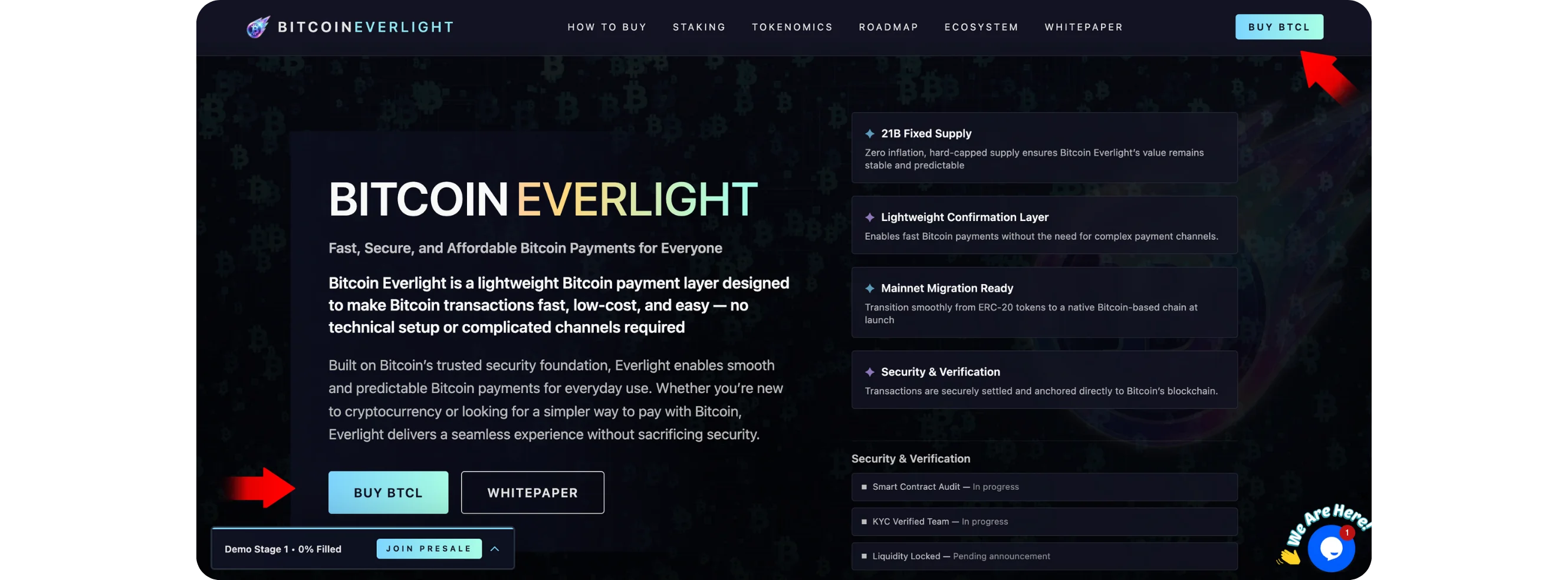
Clicking any of these will take you to the same launch platform.
Step 2: Sign In or Create an Account
After clicking Buy BTCL, you will be redirected to the Bitcoin Everlight Launch Platform login page.
If you already have an account:
Enter your email address
Enter your password
Click Sign In
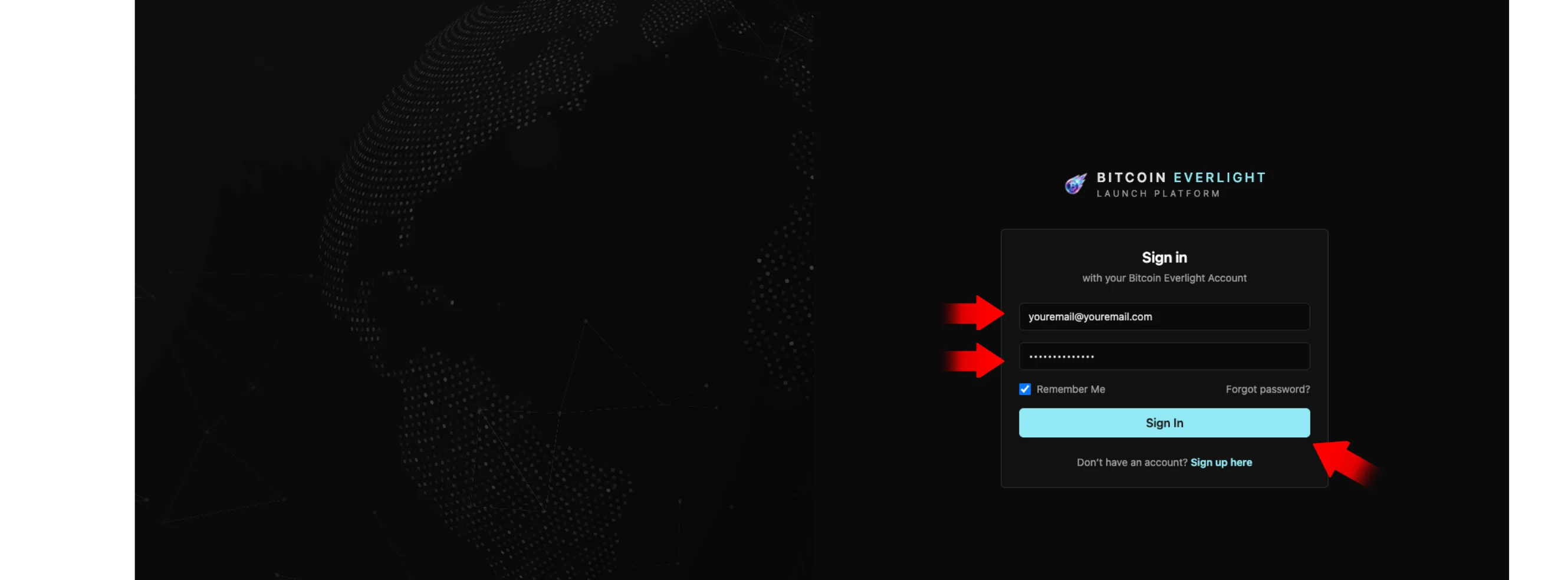
If you don’t have an account:
Click Sign up here
Create a new account using your email address
Once registered, return to the login page and sign in
This account is used to manage your purchases, view transactions, and track your BTCL balance.
Step 3: Review Your Dashboard
After signing in, you’ll land on your dashboard.
Here, you can see:
Your current BTCL token balance
The current token price
The active sale stage
Your account details, including the receiving wallet
Token sale progress information
At this stage, no action is required. The dashboard is mainly for visibility and tracking.
To proceed with buying:
Click Purchase BTCL from the left menu
or
Click Buy Tokens Now
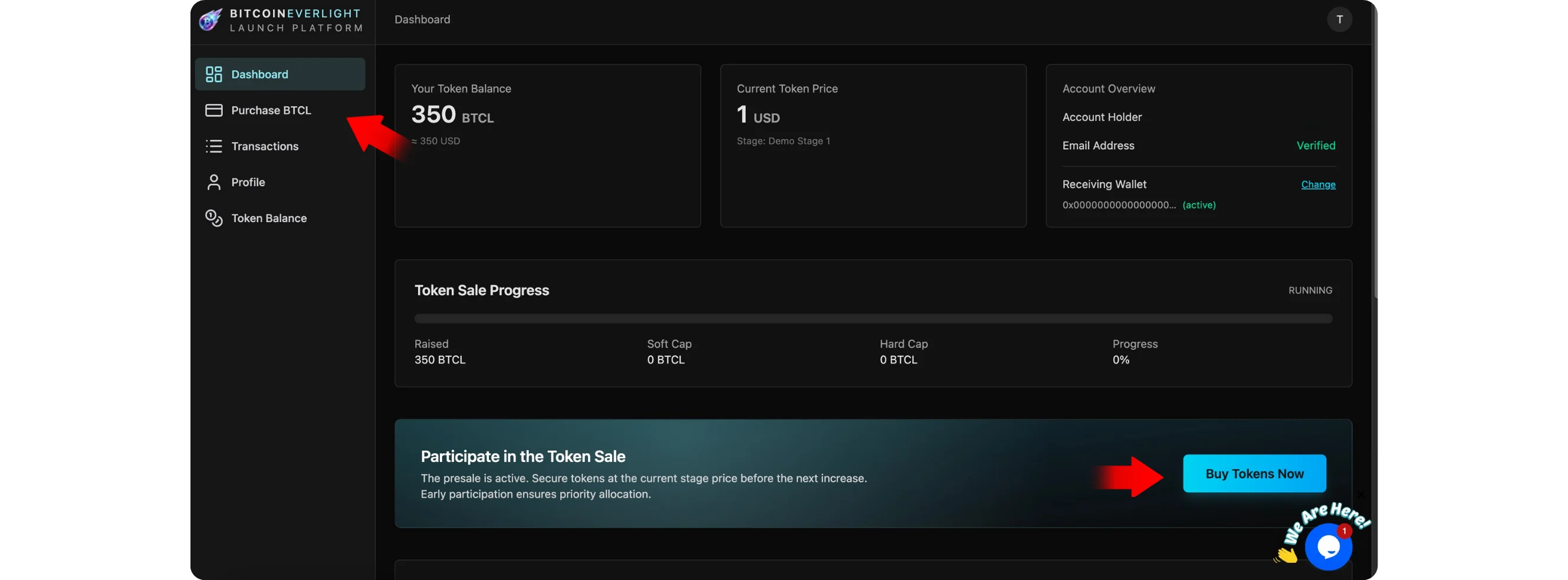
Both options lead to the same purchase screen.
Step 4: Select a Payment Network
On the purchase page, you will see the Payment Network section.
This is where you choose how you want to pay for BTCL.
Available options typically include:
USDC (Ethereum)
USDT (Ethereum)
ETH
BTC
BNB
SOL
ADA
DOGE
XRP (requires a destination tag)
When selecting a payment method, make sure:
You choose the network that matches the funds you already have
You send funds only on the selected network
Using the correct network is essential to ensure your payment is processed properly.
Step 5: Enter Your Contribution Amount
Next, enter the amount you wish to contribute.
Input your contribution amount
The platform will automatically calculate:
The number of BTCL tokens you will receive
Any applicable bonus tokens
Review the displayed allocation and token price
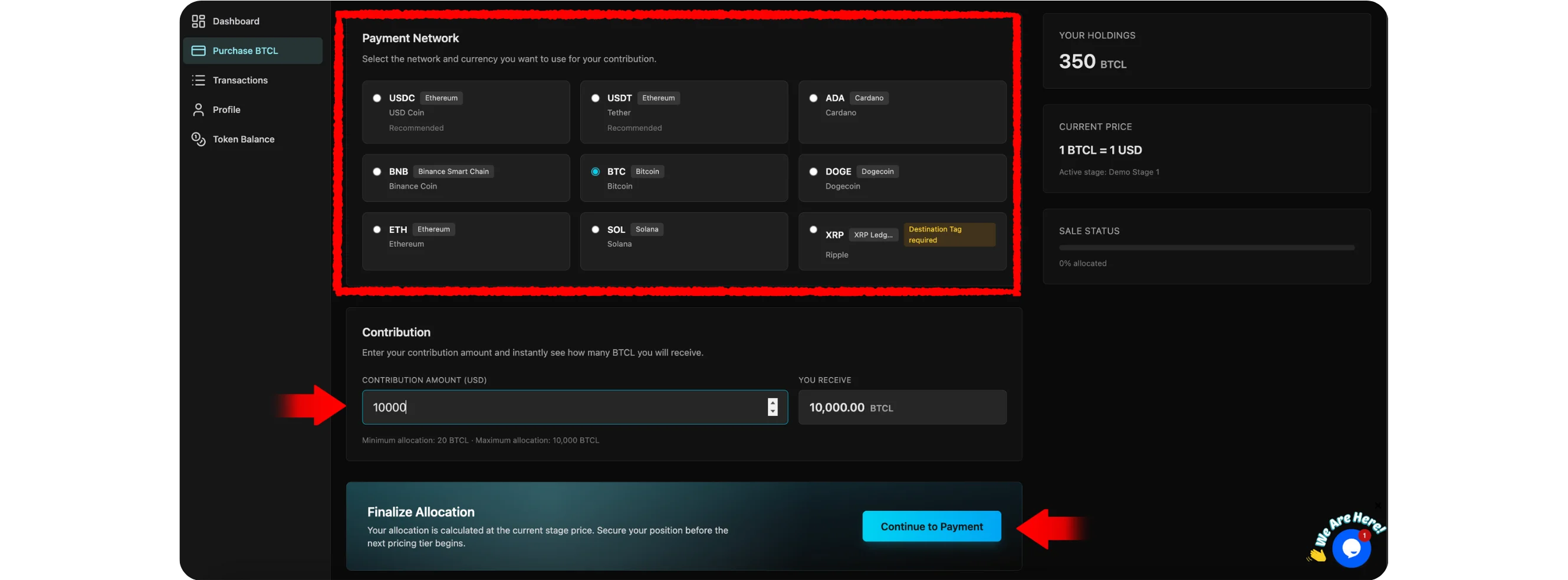
Once everything looks correct, click Continue to Payment.
Step 6: Review and Create Your Payment Order
A window titled Review & Create Payment Order will appear.
This step is for confirmation only. No funds have been sent yet.
You will see:
Contribution amount
Base token allocation
Bonus tokens
Total BTCL allocation
After reviewing the details:
Check the box agreeing to the token purchase terms
Click Create Payment Order
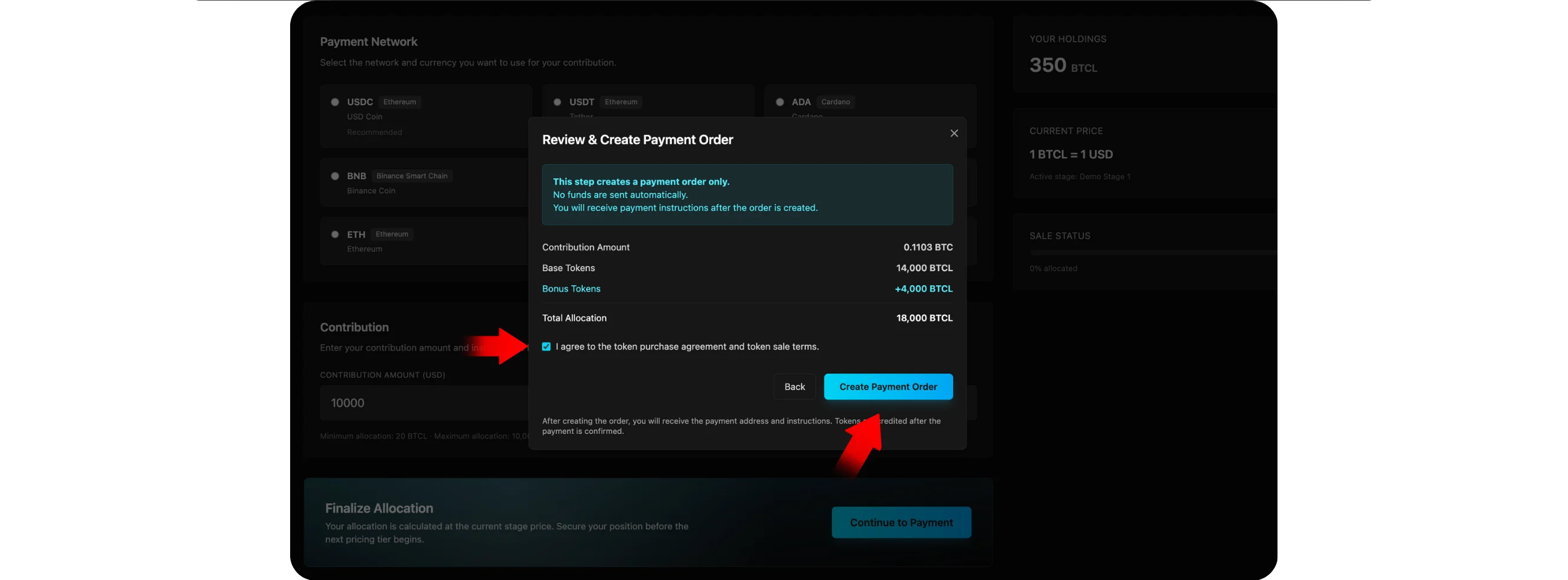
This action generates your payment instructions.
Step 7: Complete the Payment
After creating the payment order:
You will receive the wallet address and payment instructions
Send the exact amount using the selected network
Once the payment is confirmed:
Your BTCL tokens will be credited to your account
You can track everything from the Transactions and Token Balance sections
Managing Your Account
From your account dashboard, you can:
View past transactions
Check your BTCL balance
Update profile information
Monitor token sale progress and future stages
All account activity is centralized in one place for easy tracking and management.
Final Notes
Always double-check the selected network and payment details before sending funds. Payments should only be made after a payment order is created to ensure proper allocation.
The Bitcoin Everlight platform is designed to keep the purchasing process clear, structured, and transparent from start to finish.